NOBD-ZERO
Execution is back.
It was never you.
You pressed two buttons. Only one came out. It was never your execution — it's a 25-year-old strictness colliding with modern hardware. We found out why, in the code, and built the controller that fixes it.
Founding testers · first 100 get first dibs on the first batch
No price · no preorder · unsubscribe anytime
- 8kHz
- USB · target
- Sync + Raw
- tunable modes
- Native
- Dreamcast
- Ethernet
- future netplay
drag to rotate · NOBD-ZERO V1.0
You knew you pressed both.
You go for the dash, or the roll, or the super. You feel both buttons hit. The game gives you a single jab. You knowyou pressed both, so you blame yourself, drill it ten thousand times, and quietly accept that “it does that sometimes.”
It was never your hands.
No human presses two buttons at the same instant.
Your two fingers land about 2–8 msapart. That's not sloppy. It's anatomy. One intention, sent as two events a hair apart. Don't believe the number? Measure your own.
Finger Gap TesterWhy it matters
Think of a camera that snaps one photo per frame. If your two presses land on either side of the shutter, the photo only catches the first one. Your fingers were fine. The snapshot just missed the second.
Your two presses land a few ms apart and fall on different frames. The first one fires alone.
Why it matters
On an old console, you and the game shared one heartbeat, about 60 beats a second, and the controller was read right on the beat. Two presses a hair apart almost always got swept up together. Modern PCs broke that shared beat.
Most games check your controller once per frame, roughly every 16.67 ms, and take a single snapshot of what's held: no averaging, no buffer that remembers two presses landing a hair apart. There's also an asymmetry: directional motions usually get a forgiving multi-frame window, while two buttons meant together get none.
On synchronized original hardware the controller read was the frame, so the gap rarely bit. A modern pipeline adds jittery, desynced stages between your stick and that snapshot, and a 1000 Hz stick now reports the split-second you only had one button down. Older, slower sticks quietly grouped both. This is both poll rate and sync — never one alone.
1000 Hz didn't make you sloppy. It stopped hiding the gap.
You didn't get worse. The hardware got faster than the trick that used to save you. You fell out of sync, and a stick fast enough to see the gap stopped covering for it.
A 1000 Hz stick reports once every millisecond.
One report. Every millisecond. Your two fingers land 2 to 8 ms apart, so a 3 ms gap means three USB reports go out with only the first button down. Three snapshots of half your intention, sent to the game before your hand has even finished the press.
Old hardware was too slow to notice. It read you less often, so both buttons usually fell into one read and went out together. A modern stick is fast enough to catch the gap in the act, and it honestly reports exactly what you'd done so far: one button. Nothing is broken. The stick is just quicker than a human can physically be.
That's the whole trap. The game grabs one of those single-button snapshots, acts on it, and the move you meant never comes. No more lottery. Don't take our word for it. Measure your own gap.
One game frame · 16.67 ms · one read, by design
Your whole input should land inside one frame. On synced hardware, it did.
Zoom in · USB reports at 1000 Hz · 1 ms each
If the frame's one read lands in those first 3 ms, the game sees LP only and your move dies. The designers gave you a fair 16 ms window. Sub-ms polling reports your intent before it has finished forming.
A 25-year-old game, meeting hardware it was never built for.
These games were built for arcade boards and consoles, where everything moved to one clock. The screen refreshed at 60 Hz, the game ran at 60 frames a second, and the controller was read once per frame, all locked into the same beat. That is why old consoles felt so consistent. Your two buttons, a few milliseconds apart, got swept into the same read and came out together. It just worked. You never had to think about it.
Then the games left that hardware. On a modern PC, emulator, or Fightcade, your stick and the game no longer share one clock, and your inputs take a longer, looser path before the game looks. Those same two buttons can land on opposite sides of a frame, and the game, still reading once per frame like it always has, sees only the first. You get one button instead of the move you meant. Newer fighters quietly added forgiveness in software, but these classics are frozen in time and can't be patched. The only place left to put the sync back is the controller.
This is a retro, Fightcade, and emulation problem. Modern fighters added leniency; we don't claim they drop your inputs.
Read the fix
One open-source function you can read
The exact sync logic lives in our public fork, not a slide. The actual code.
src/gp2040.cppIndependently measured
Slower boards group presses better
A relay-rig test (VodkaGobalsky, not ours) found older and slower boards register simultaneous inputs more consistently. Evidence that hardware has quietly conditioned input for years.
Read Vodka’s testTry it yourself
Run it free on your PC
NOBD Desktop brings the same sync window to the Steam version of Marvel vs Capcom 2, in software. No NOBD board, no flashing, it just hooks the game and uses the stick you already own. Feel the fix before you spend a cent.
NOBD DesktopI'm not a firmware engineer. I'm a cloud support engineer, two decades in IT and infrastructure, and a competitor who came back to Marvel vs Capcom 2 after 15 years.
Truth is, I walked away from this game years ago, not long after it got ported around. It never felt the same to me. The timing was off in a way I couldn't put my finger on, so I did what everybody does. I blamed myself and stopped playing.
Years later I fired it up again on PC, and the dashes kept dying. My first thought was, great, I'm getting old. But come on. Anyone can dash. I am not THAT old. Is it me? I kept asking that until the troubleshooter in me took over. Two decades in IT and infrastructure teach you one thing better than anything else: how to chase a problem. Gather the evidence, isolate the symptom, follow the leads until the picture is clear. And the picture here looked exactly like a desync between two clocks. The stick and the game were out of step, and fast polling was exposing the gap. It was not me. That is where the research began.
So I used everything I had: decades of troubleshooting instinct, modern AI tools, and an obsession that wouldn't quit. I built the ultimate competitive PCB, open-sourced the fix, and showed every line, so you never have to take my word for any of it.
For the perfectionist. The executionist. No more lottery. Your training finally pays off.
— NOBD · cloud support engineer, competitor
Watch the drop. Then watch it land.
Same stick, same two-button input. With sync off, the second press is dropped and the move never comes out. Turn sync on and both land. This is the open NOBD fix running live, not a render.
Captured on a real fightstick · Marvel vs Capcom 2 · tap to enlarge
Built to be the fastest fightstick PCB.
We fixed the classics. Then we built the board to power everything else — retro and modern, online and off: the fastest, most over-engineered fightstick PCB we could design.
Specs below are targets — pre-prototype hardware.
8000 Hz USB High-Speed
Every input reported in 0.125 ms, 8× the 1000 Hz standard. The board tells the PC what you did almost the instant you do it.
Dual-MCU · RP2040 + STM32F723
One chip does nothing but talk to the game, a dedicated hardware assistant whose only job is reading your buttons, so latency never spikes mid-match.
Hardware Ethernet · W5500
The first fightstick PCB with a real network stack, not an RJ45 reused as a console cable. It unlocks LAN Mode (planned).
Native retro · Brook-cable ready
Dreamcast is native in silicon over Maple Bus, no adapter and no dongle. The retro jack uses the standard Brook retro-cable pinout, so the Brook adapter cables you already own (Dreamcast, NES, SNES, and more) plug right in. Dreamcast is native today; more classics roll out in firmware.
Open firmware + Brook 20-pin
Runs the fully open NOBD firmware (read every line) and drops into your existing stick via the standard Brook 20-pin.
Two modes · Sync & Raw
Sync mode groups your presses so they land together, on a window you can tune (5 ms by default), trading a sliver of speed for rock-solid consistency. Raw mode runs full speed at minimum latency. Fast when you want it, synced when you need it.
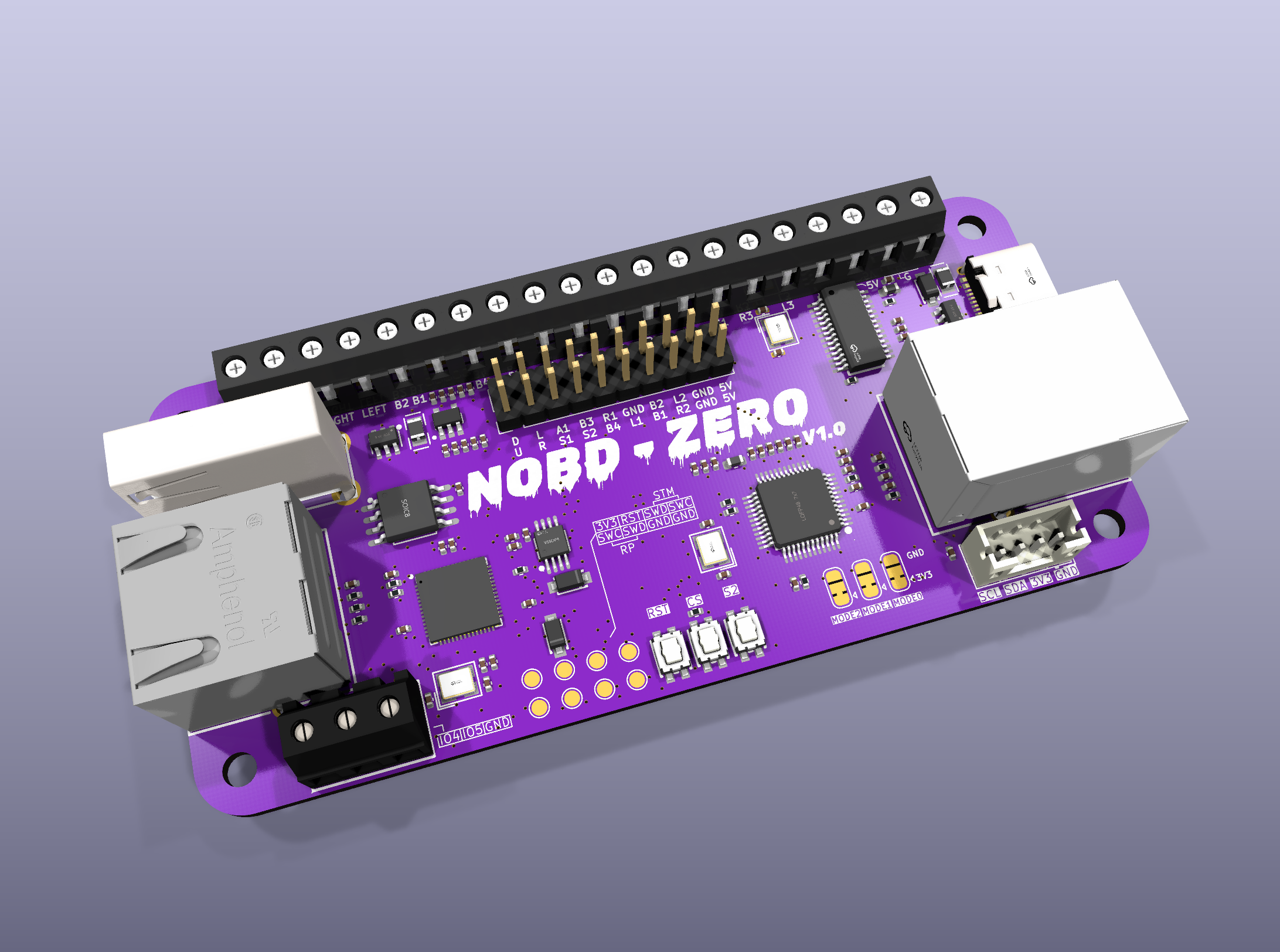
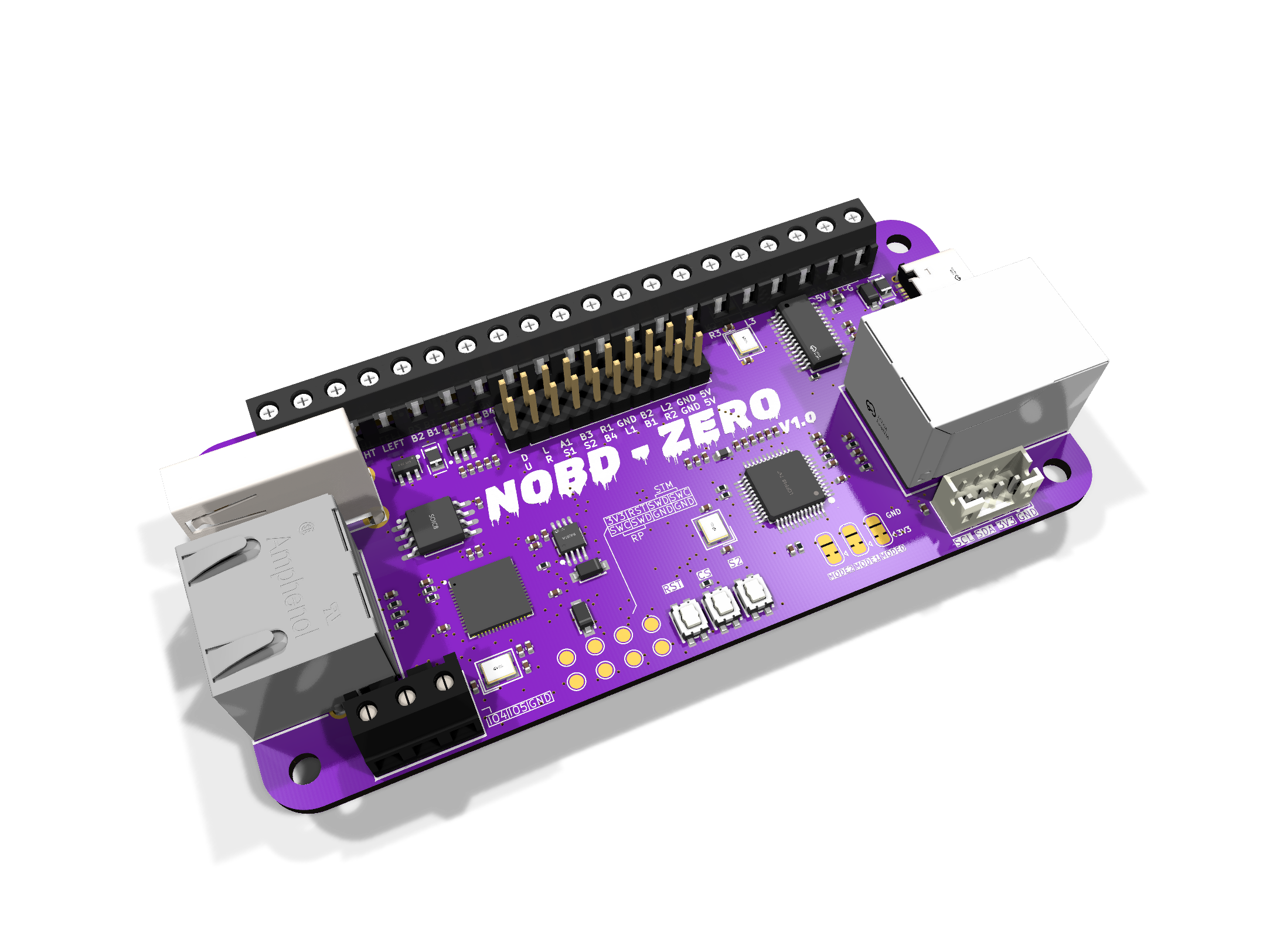
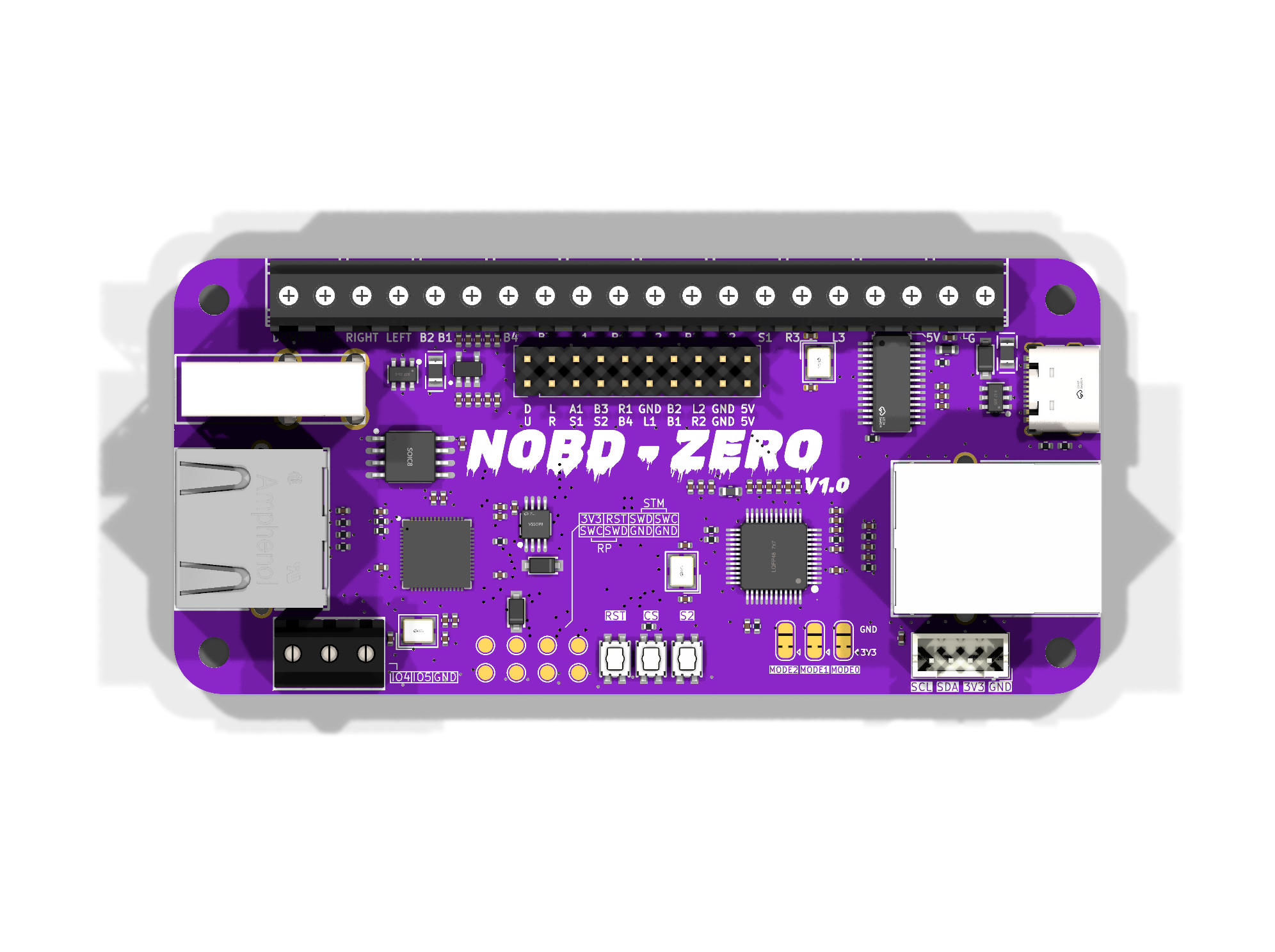
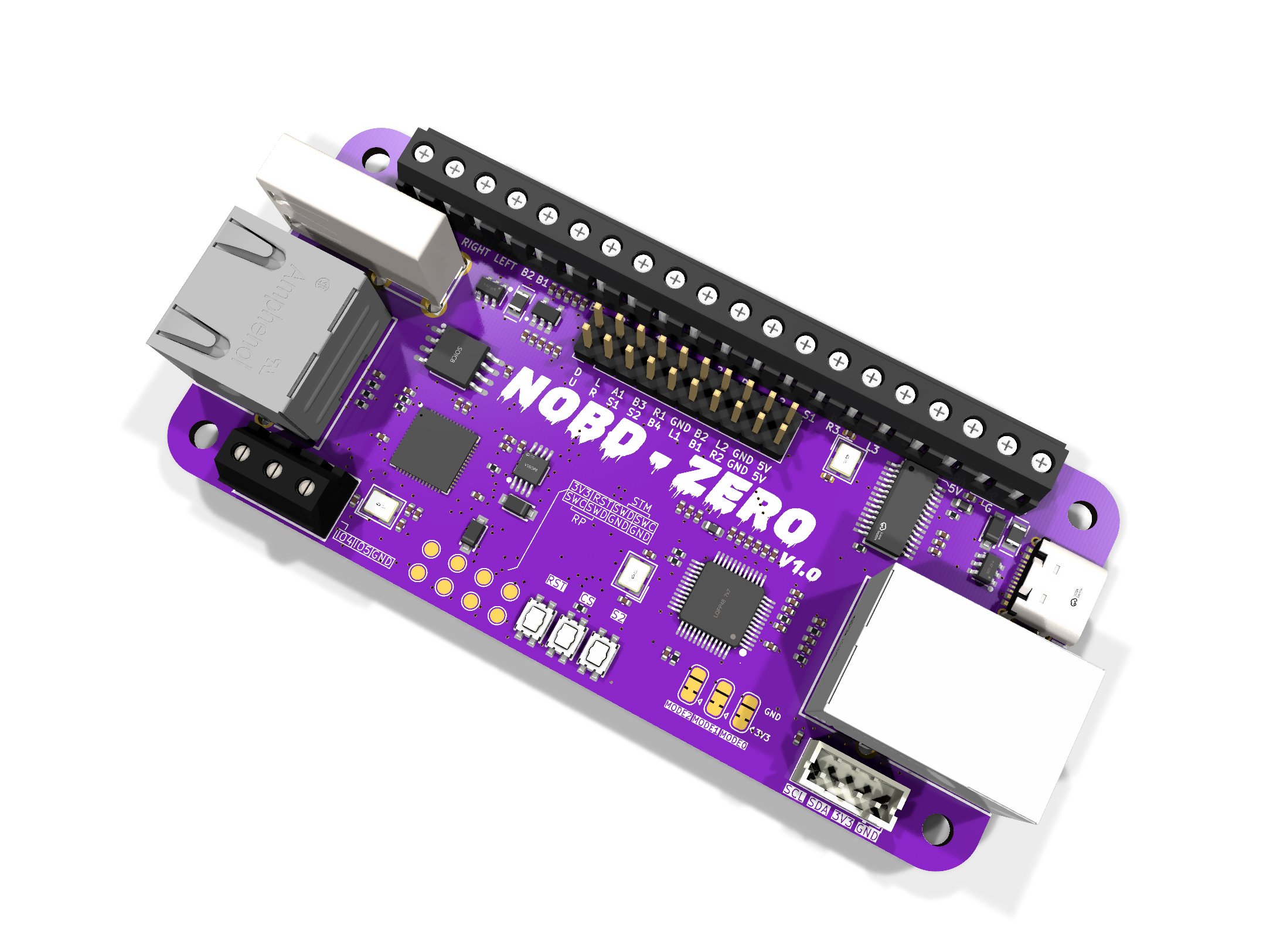
The real board, not a mockup.
NOBD software
The open-source fix, already running on GP2040-CE boards.
The board
The dual-MCU, 8000 Hz, hardware-Ethernet PCB — in development.
LAN Mode + more
LAN Mode, more retro consoles, wireless config. Planned.
Receipts, not trust.
The part competitors won't do. Every claim on this page is checkable, so don't believe us. Verify us.
- 01
Read the fix
One open-source function, the actual sync logic, in our public fork. Not a slide.
src/gp2040.cpp - 02
Measure your own gap
Don’t believe 2–8 ms? Measure yours with the open Finger Gap Tester.
Finger Gap Tester - 03
Try it free on your PC
Don’t believe any of it? NOBD Desktop drops the same sync window onto the Steam version of Marvel vs Capcom 2, in software, using the stick you already own. No NOBD board, no flashing, no money down. Feel the difference yourself. (MvC2 today; more games coming.)
NOBD Desktop - 04
Independently measured
A relay-rig test (not ours) found older and slower boards register simultaneous inputs more consistently. Outside evidence, not our marketing.
Read Vodka’s test
For 25 years, every dropped input sold you the same lie: you weren't good enough. You were. The hardware fell out of sync, and nobody put it back.
We did, in the open, every line. Sync mode costs up to 5 ms and we say so out loud. Closed boards ask for your trust. We handed you the receipts.
It was never your hands. Get back in sync.
Join the WaitlistBuild it with us.
NOBD is built in public, with the people who actually play these games. Jump into the Discord, ask questions, try the software, and help decide where this goes next. This is your scene too. Come help shape the future of the FGC.
Join the DiscordTalk to the bots
An MvC2 Oracle for frame data and matchup questions, plus a bot that drops your feature requests and bug reports straight into the backlog.
Shape the firmware
Ask for a feature, report a bug, and watch it get built. It's all open source. The community speaks; the firmware follows.
Try it, then talk
Run the free NOBD software on a setup you already own, feel the fix, then come tell us what you found. Not a hype channel. A workshop.
Lock your spot. Get execution back.
No price, no preorder, no catch. Drop your email and you're a founding tester. The first 100 get first dibs on the first batch, plus the build receipts as they land.
Founding testers · first 100 get first dibs on the first batch
One email. We ping you when it drops. No spam, unsubscribe anytime.